

Download BeGone – Free Browser‑Based Multiplayer FPS
Overview: A Browser FPS That Packs a Punch
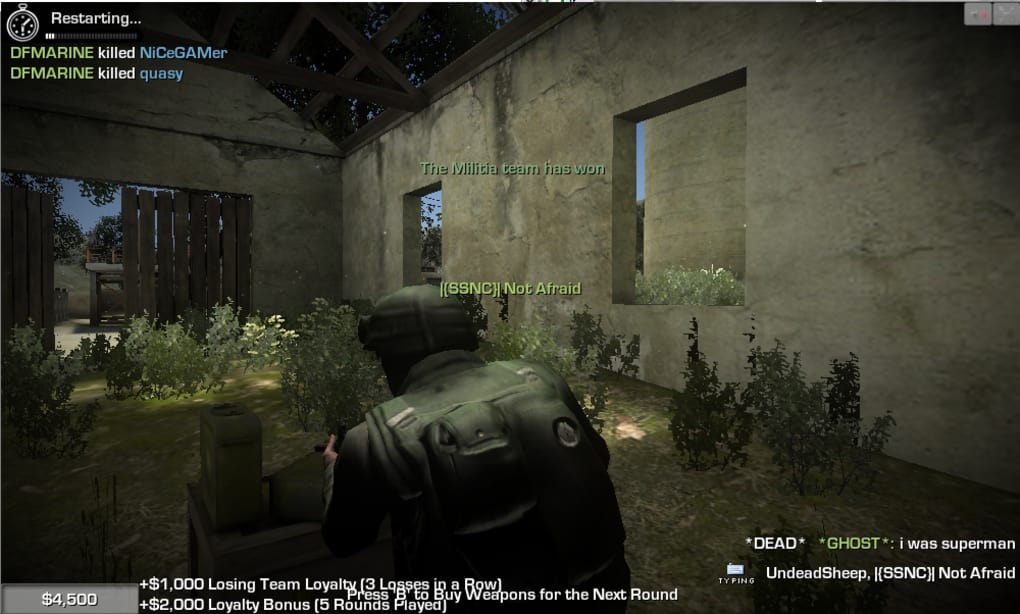
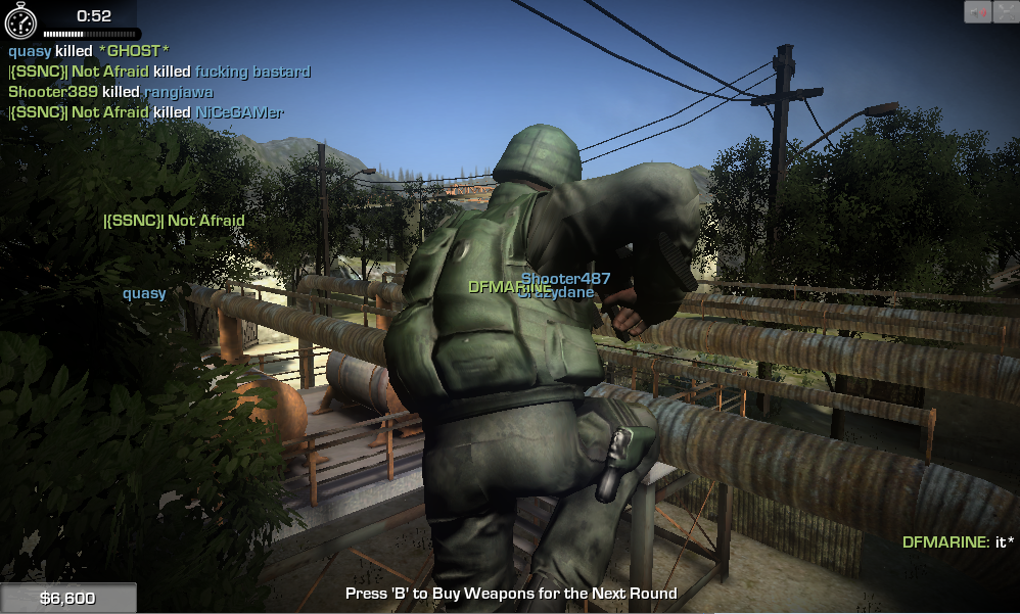
BeGone is a free‑to‑play online first‑person shooter that runs straight from your web browser. Powered by the Unity Web Player, the game delivers surprisingly solid graphics for a browser title, allowing players to jump into fast‑paced combat without the hassle of installing a heavyweight client. While the map selection is limited to a single arena, the design is compact enough to keep matches quick and intense.
Up to twelve players are split into two teams, spawning at opposite ends of the map and battling for kills. Each elimination awards in‑game currency that can be spent on better weapons, creating a natural progression loop that encourages repeat play. The game supports both first‑person and third‑person camera perspectives, letting you switch views on the fly to better assess the battlefield or simply enjoy the character’s animation.
Sound design is modest, focusing on environmental ambience, gunfire, and the occasional groan, which is typical for a browser‑based shooter. Although BeGone isn’t a Call of Duty‑level experience, its accessibility and low barrier to entry make it an appealing option for casual gamers looking for quick, competitive matches without leaving their desktop.
Key Features & Gameplay Mechanics
- Browser‑based access – play directly from Chrome, Firefox, Edge, or Safari with the Unity plug‑in.
- Multiplayer matches for up to 12 players, split into two balanced teams.
- Dual camera modes: traditional first‑person view and optional third‑person perspective.
- Earn in‑game money for each kill, unlock and purchase upgraded weapons during a match.
- Simple yet responsive controls that work with keyboard‑mouse setups.
- Real‑time voice chat support via external platforms (Discord, TeamSpeak) for coordinated team play.
- Dynamic lighting and particle effects that showcase Unity’s capabilities in a web environment.
- Leaderboards that track top players, kill‑streaks, and overall win rates.
Installation, Usage Instructions & Compatibility
Supported Operating Systems
Because BeGone runs inside a web browser, it is compatible with any modern desktop operating system that supports the Unity Web Player. The official supported platforms are:
- Windows 10/11 (64‑bit)
- macOS 12 Monterey and later
- Linux distributions with recent versions of Chrome or Firefox (Unity plug‑in required)
Step‑by‑Step Installation Guide
Getting started with BeGone is straightforward. Follow these steps to ensure a smooth setup:
- Verify Browser Compatibility: Use the latest version of Chrome, Firefox, Edge, or Safari. Older browsers may not support the Unity plug‑in.
- Install the Unity Web Player: When you first launch BeGone’s website, you’ll be prompted to download the Unity plug‑in. Click the “Download” button and follow the on‑screen instructions. The plug‑in is lightweight (≈ 15 MB) and requires a one‑time installation.
- Allow Browser Permissions: Some browsers block third‑party plug‑ins by default. Add BeGone’s domain to the trusted sites list or enable “Allow this site to run Unity content” when prompted.
- Create a Free Account: Although you can play as a guest, registering a free account preserves your stats, unlocks custom avatars, and lets you track in‑game purchases.
- Adjust Settings: Navigate to the Settings menu to configure graphics quality, mouse sensitivity, and audio levels. Lower graphics settings improve performance on older machines.
- Join a Match: Click “Play Now,” select a server region, and wait for the matchmaking queue to fill. You’ll be placed in a 12‑player game within seconds.
Pros, Cons & Community Feedback
Pros
- No Heavy Download: Play instantly from the browser without a large client.
- Cross‑Platform: Works on Windows, macOS, and Linux.
- Fast Matchmaking: Quick queue times keep the action flowing.
- Free to Play: No mandatory purchases; in‑game money is earned through performance.
- Dual Camera Options: Switch between first‑ and third‑person views for tactical flexibility.
Cons
- Single Map Limitation: Gameplay can feel repetitive after extended sessions.
- Occasional Frame‑Rate Drops: Especially during heavy gunfire or when many bullets are on screen.
- Bullet Visibility Bugs: Some projectiles disappear, making it hard to track incoming fire.
- No Skill‑Based Matchmaking: New players may face veterans with superior weapons.
- Basic Audio Design: Limited environmental sounds reduce immersion.
Overall Verdict: BeGone delivers a surprisingly robust FPS experience directly in the browser, but its single‑map design and occasional performance hiccups keep it from reaching the heights of dedicated PC shooters.
Frequently Asked Questions (FAQ)
Do I need to install any software to play BeGone?
Yes, you must install the Unity Web Player plug‑in once. After that, the game runs completely inside your browser.
Is BeGone truly free or are there hidden costs?
The core game is free. All weapons and upgrades are purchased with in‑game currency earned by killing opponents; there are no mandatory real‑money microtransactions.
Can I play BeGone on a mobile device?
Currently the Unity Web Player is not supported on iOS or Android browsers, so the game is limited to desktop environments.
What are the system requirements for smooth gameplay?
A modern CPU (Intel i5/Ryzen 5 or better), 4 GB RAM, and a GPU supporting WebGL 2.0 are recommended. Lower settings can be used on older hardware.
Is there any way to avoid being matched against highly experienced players?
BeGone does not currently offer skill‑based matchmaking. New players may need to rely on learning the map and weapons to stay competitive.
Conclusion & Call to Action
BeGone proves that a solid multiplayer FPS can thrive in a browser environment. Its instant accessibility, cross‑platform reach, and free‑to‑play model make it an attractive option for gamers who want a quick shooter session without committing to a large download. While the single‑map design and occasional performance glitches keep it from rivaling full‑scale PC titles, the game’s core loop—earning money, upgrading weapons, and battling in fast‑paced matches—remains enjoyable. If you’re looking for a hassle‑free way to jump into online combat, give BeGone a try today. Click the download button below, install the Unity plug‑in, and dive into the arena within minutes.



.png)



